🌞 Summer Sale — Up to 70% discount for hosting and domains
activate now
TutorialsWHM

Bandwidth usage visualization

Learn how to view and modify bandwidth usage in WHM. Step-by-step instructions for managing your hostico.ro account.

Views 760Updated 3 aniPublished on 25/11/2017by Florin P.

Introduction

  • In this tutorial, we will show you how to view and modify bandwidth usage


Requirements

  • Access to the WHM administration panel.


Steps

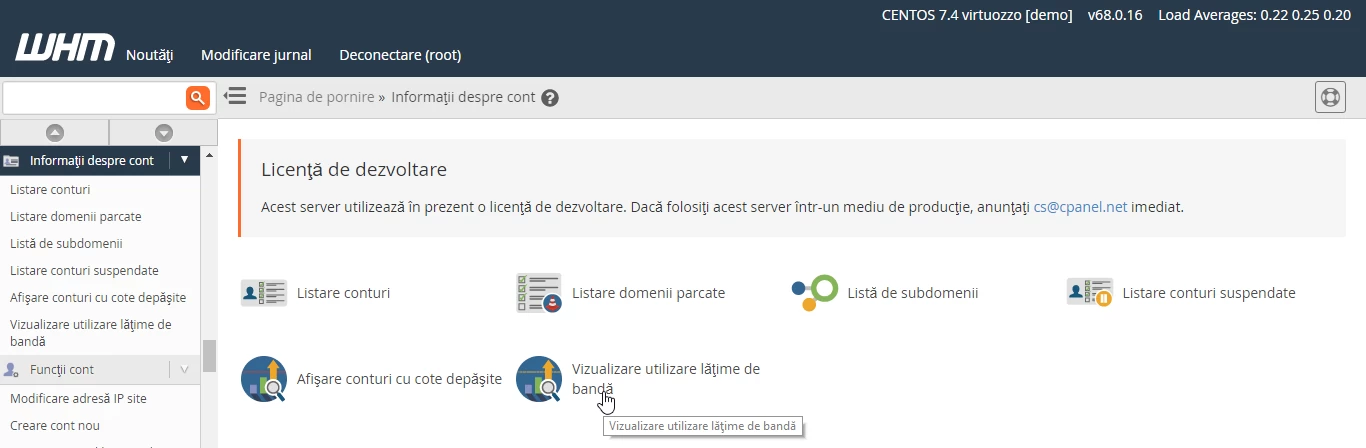
  • After we log in to the WHM administration panel, we will go to Account Information and click on View Bandwidth Usage.
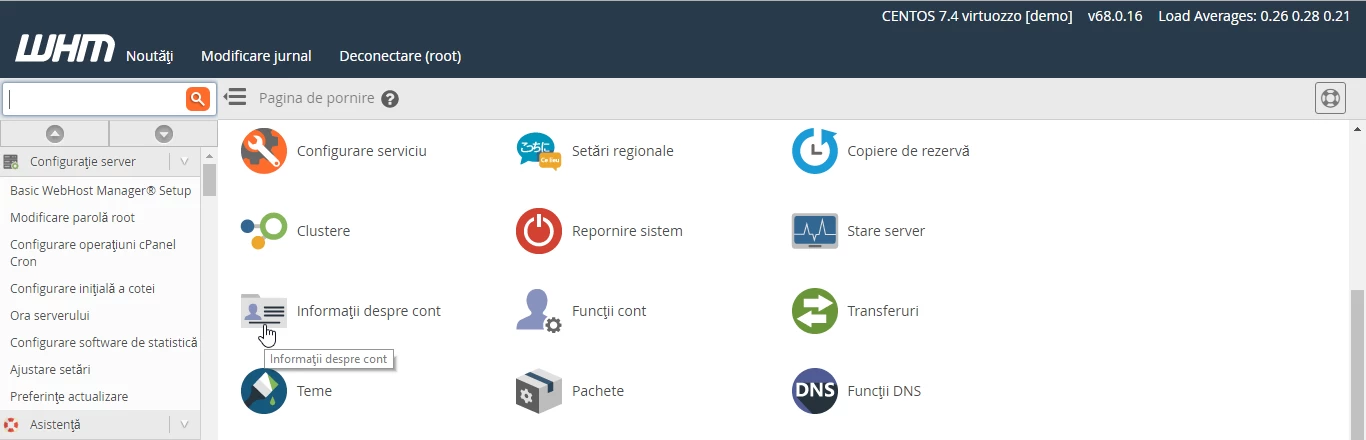
Informații despre cont WHM

Vizualizare utilizare latime de banda

  • On the next page, we can view information about bandwidth usage.
  • On this page we can see information as user hostico, domain hostico.ro,  Xfer value used in MB and Limit - the limit in MB for this account if applicable.
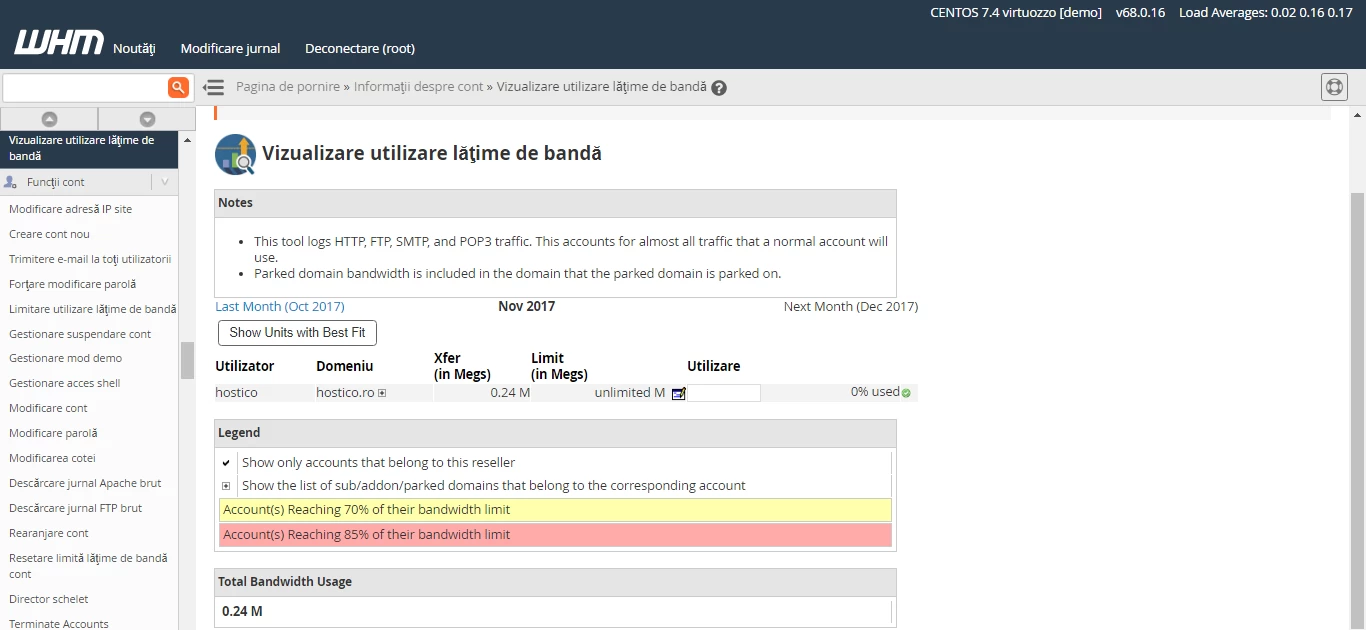
Informatii utile latime de banda

  • To modify the bandwidth for our hostico.ro account to a desired value, we will click on the button in the image below.

Modificare latime de banda

  • Then we will enter the value of 100MB in our case and will click on the Modify button.

Setare valoare pe domeniu


Similar Articles

Transfer .ro domainTutorials /Domains

This tutorial presents the steps necessary to obtain the authorization key from the ROTLD panel for transferring a .ro domain to a new registrar.

78
by Mark D.
Views 3122
Updated 2 years ago
Published on 06/02/2018
Changing the PHP version in cPanel on VPS hosting packages via MultiPHP ManagerTutorials /cPanel

In this article, we will present the necessary steps to change the PHP version in a cPanel account using MultiPHP Manager.

46
by Sebastian S.
Views 2894
Updated 2 years ago
Published on 18/10/2017
Unblocking the IP from Hostico serversTutorials /Dev

In this tutorial, the necessary steps will be presented to unblock the IP listed in the firewall on Hostico servers.

32
by Mark D.
Views 1454
Updated 1 year ago
Published on 05/10/2020
Creating an email account in cPanelTutorials /cPanel

The cPanel allows for the creation of an unlimited number of email accounts associated with hosted domains. This tutorial will explain the necessary steps to create and access an email account.

29
by Cătălin A.
Views 5626
Updated 2 years ago
Published on 28/06/2017
Adding a secondary contact (Subcontact)Tutorials /Commercial

Add a secondary contact in your Hostico client account by following these simple steps. Make sure you have an existing account and activate the necessary rights.

27
by Mark D.
Views 2917
Updated 2 years ago
Published on 08/07/2017