Tutorials • Commercial
Changing the holder's details for .com, .eu, .net domains
Information related to the steps necessary for updating the owner details for domains with global extensions (gTLD).
Views 1315Updated 2 aniPublished on 29/09/2022by Mark D.
Introduction
- The tutorial presents the necessary information for updating the owner details of a global extension domain.
Requirements
- A Hostico customer account;
- An active domain with the .com, .net, .net etc. extension;
Steps
- After logging into the Hostico client account, navigate to the Domains; section.
- On the displayed page, we will select the domain for which the owner's information needs to be updated.
 After accessing the domain, in the newly opened page we will access the section Domain;
- In this section, the WHOIS Information section is of interest
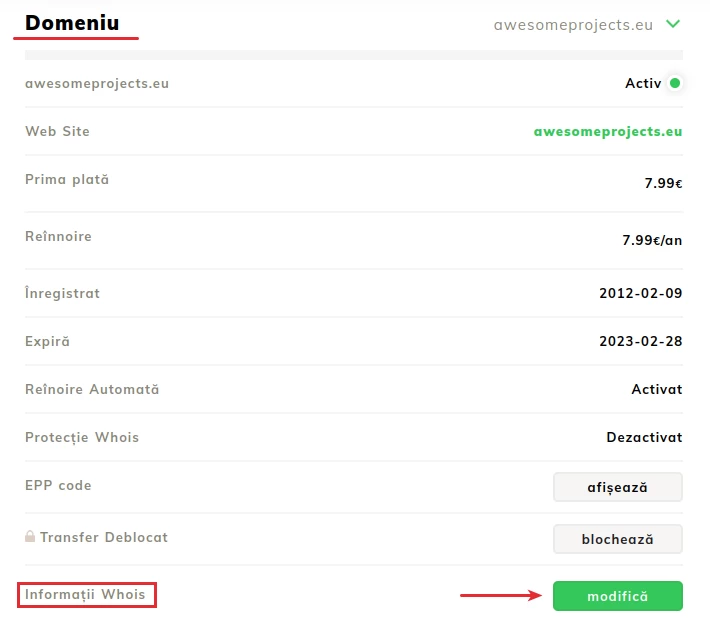
- Click on Edit for the window where we can edit the information to open;
- The presented interface allows us to edit the displayed fields;
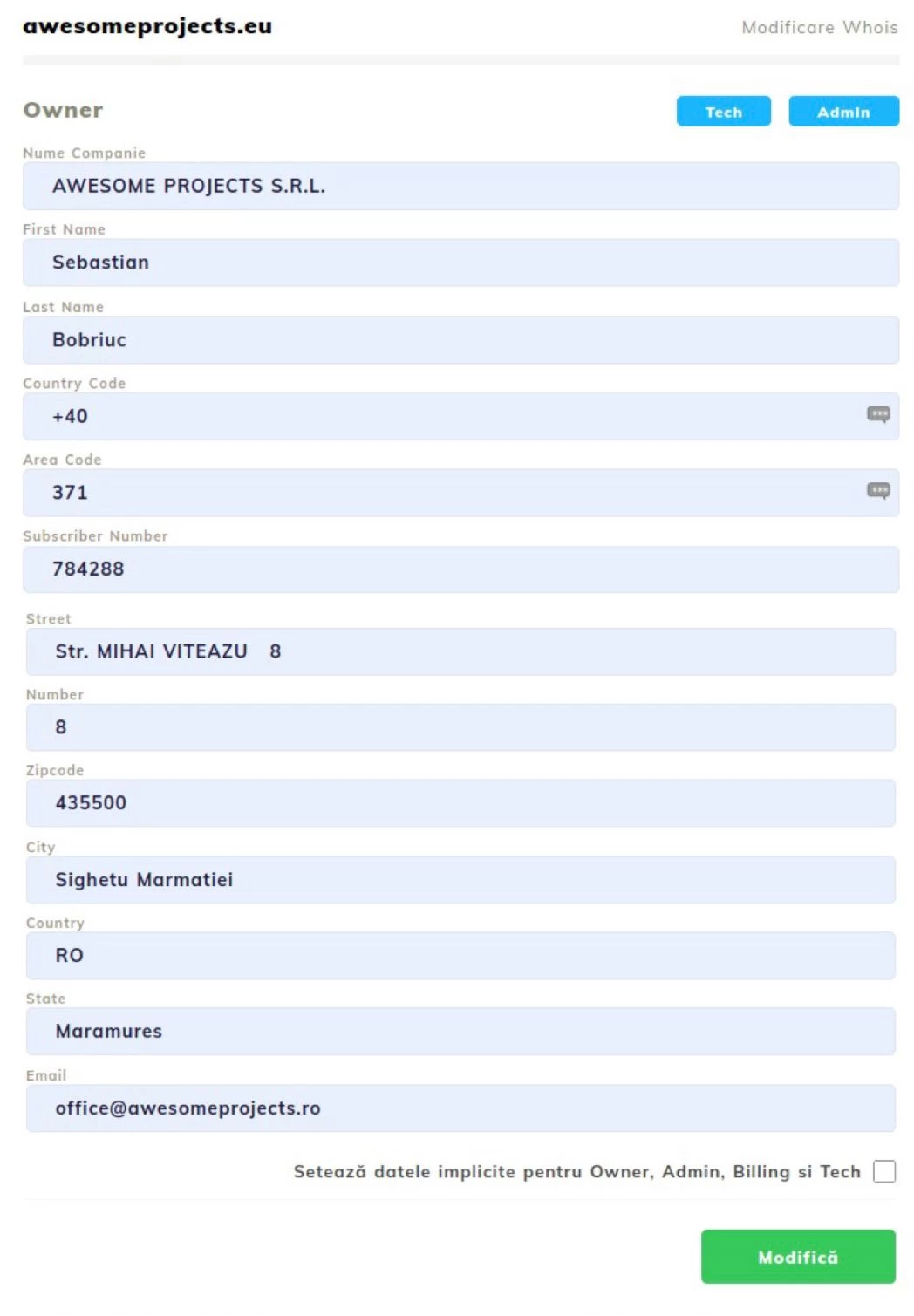 After updating the information, click on Modify to save the information.
Note:
- Changing the owner information in the client account is possible for global domain extensions (gTLDs) that do not have special requirements or additional fees;
- Changing the registrant data at the domain level will not automatically lead to updating the billing data. To change the billing, you will need to follow the steps in the corresponding tutorial: Changing the pro forma invoice;
- If you cannot make changes to a domain extension in the global category (.com, .net, .info, .eu, etc.) from the client account, you will need to contact the sales department to resolve the issue;