Tutorials • Plesk
Exporting a database in the Plesk panel
Learn how to export a database in Plesk by following the simple steps to save the archive on the server or download it locally.
Views 779Updated 1 anPublished on 20/12/2019by Cătălin A.
Introduction
This article explains the steps to follow to export a database in a Plesk hosting account.
Requirements
- an active Plesk hosting account
- login data in the panel
Steps to Follow
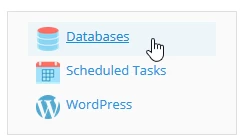
- after logging into the Plesk control panel, in the displayed interface select "Databases" located in the top right corner of the panel
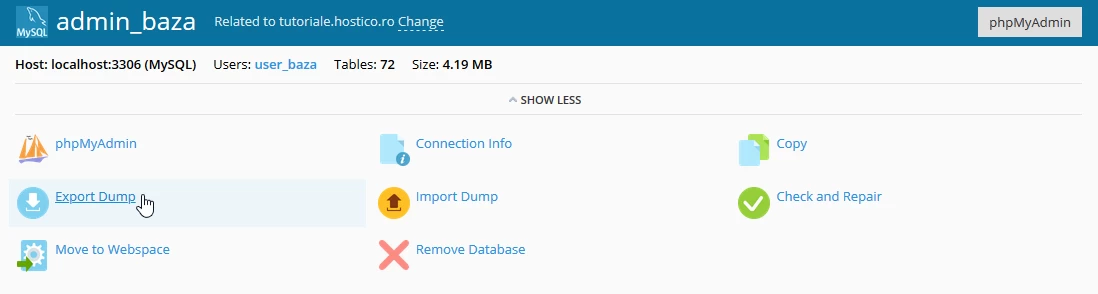
- on the next page the "Export Dump" button will be selected
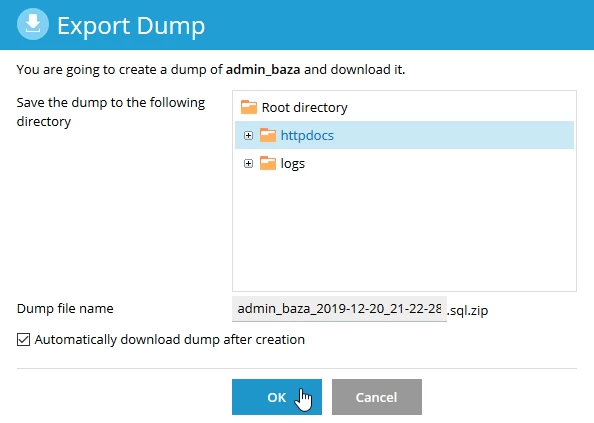
- a new window will open where the directory on the server in which to save the archive with the database will be selected, with the option for direct download after the archive is created by checking the box "Automatically download dump after creation" and then the "OK" button is selected
- a confirmation message will appear in the bottom right corner

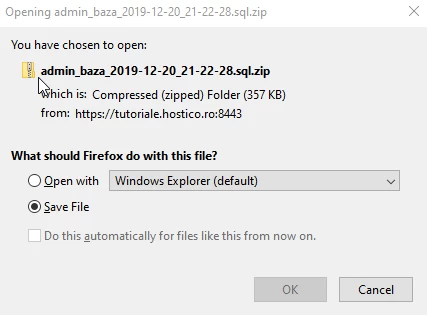
- after which a pop-up will automatically appear from where the database can be saved locally by pressing the "OK" button or, depending on the browser used, it will be downloaded automatically.