Tutorials • DNS
Clear local DNS cache Windows
Learn how to clear the local DNS cache on Windows with simple steps to improve your system's performance.
4
Views 2091Updated 2 aniPublished on 26/01/2018by Florin P.
Introduction
- In this tutorial, we will show you how you can delete the local DNS cache on Windows operating systems
Requirements
- PC Access Windows OS.
Steps
- Right-click on the Start menu, click Run, and here we will type cmd and press Enter or OK.
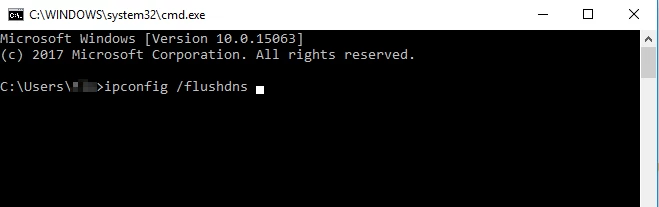
- in cmd we will type ipconfig /flushdns and press Enter.