🌞 Sumer Sale — Up to 70% discount for hosting and domains
activate now
TutorialsWHM

Delete cPanel account

Learn how to delete cPanel accounts from WHM. Follow the simple steps to remove the desired accounts and manage resources effectively.

1
Views 960Updated 1 anPublished on 22/06/2018by Cătălin Adrian

Introduction

This tutorial explains how to delete one or more cPanel accounts from the WHM reseller's administration panel.

Requirements

  • a WHM account

Steps to Follow

  • Once logged into the WHM administration panel, search in the top left search box for "Terminate Accounts" and select the obtained result
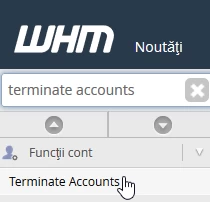
Terminate Accounts WHM

  • in the next window, a list will be displayed with all the accounts owned by the reseller
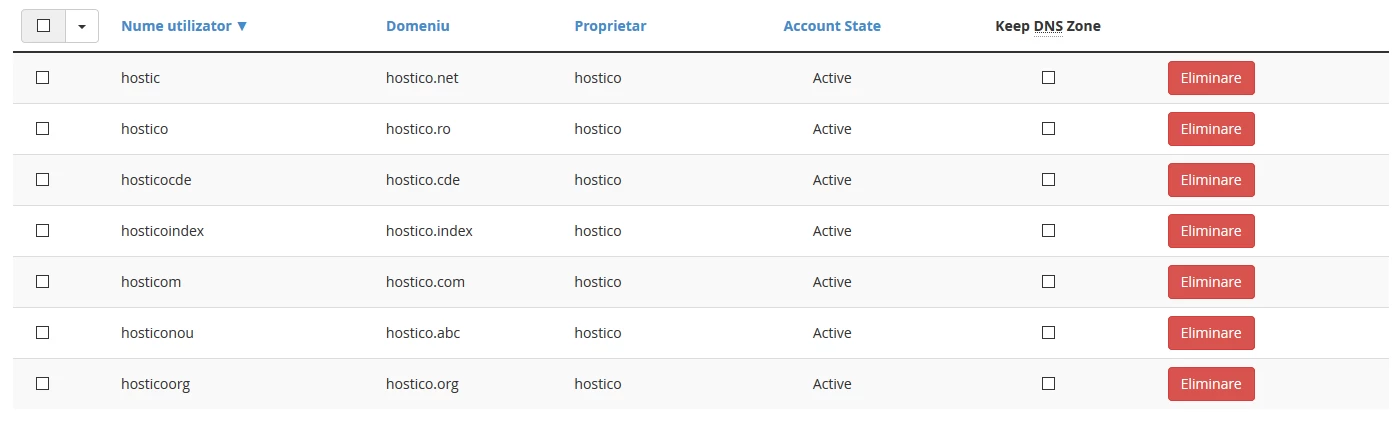
Lista conturilor WHM din Reseller

  • to find a specific account, you can use the search box on the page

Bara cautare cont WHM

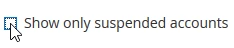
  • if you want to display only suspended accounts, check the "Show only suspended accounts" box
  • once the account to be deleted is selected, press the "Remove" button to the right of it

Selectare Cont si eliminare

  • a message will appear with the account information along with a button that will request confirmation of its deletion
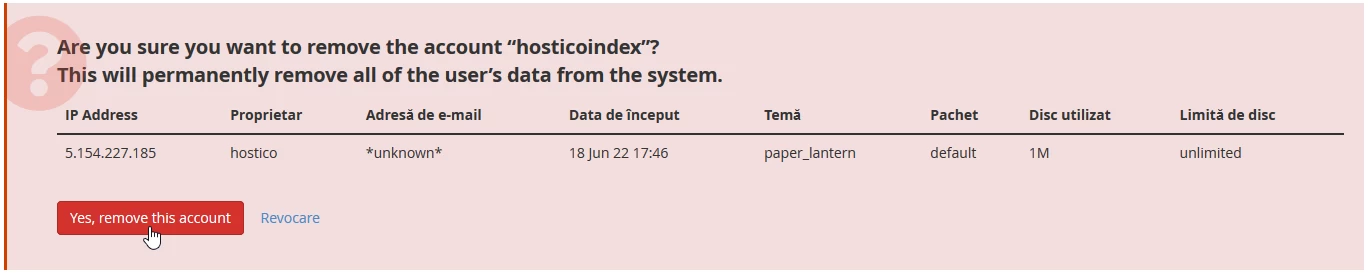
Confirmare stergere cont WHM

  • after confirming the deletion and successfully completing the operation, a confirmation message will be displayed in the upper right corner of the page

Similar Articles

Delete Client AccountTutorials /Commercial

Learn how to permanently delete your Hostico client account in simple steps. The deletion confirmation will remove all personal data, with no possibility of recovery.

1
by Mark Dohi
Views 1338
Updated 6 months ago
Published on 10/08/2020
Viewing suspended accounts in the WHM admin panelTutorials /WHM

In this tutorial we will show how to list or view suspended accounts in the WHM admin panel.

by Florin Petran
Views 688
Updated 2 years ago
Published on 16/08/2017
Verification of applications installed through the Softaculous plugin under resellerTutorials /Dev

This article describes the steps necessary to verify applications installed by customers under a reseller, using the Softaculous plugin in WHM.

by Eduard Konievic
Views 627
Updated 1 year ago
Published on 16/07/2021
Deleting a subscription in the Plesk administration panelTutorials /Plesk

In this article, we will present the necessary steps to delete a site/subscription in the Plesk administration panel.

by Alexandru Jurca
Views 577
Updated 1 year ago
Published on 07/02/2020
Deleting an SQL user in the Webuzo panelTutorials /Webuzo

Learn how to delete an SQL user in the Webuzo administration panel, step by step, to effectively manage the database.

by Cătălin Adrian
Views 534
Updated 1 year ago
Published on 08/08/2018