Tutorials • ISPConfig
Adding an A type DNS record in the ISPConfig control panel.
In this tutorial, we will present the necessary steps to add an A-type DNS record in the ISPConfig administration panel.
Views 1740Updated 3 aniPublished on 22/11/2022by Florin P.
Introduction
- A DNS A record associates a domain or subdomain with the IP address of the server hosting that domain or subdomain;
- The ISPConfig control panel allows you to set these records via the DNS menu.
Requirements
- The administration details of the ISPConfig panel received in the email inbox associated with the Hostico account when the VPS was activated.
- The IP address we want to associate with the A record (We will use 188.241.222.89 as an example).
Steps
- First, we will connect to the ISPConfig control panel using one of the access addresses: https://SERVERNAME:10200 or https://SERVER_IP:10200 or https://DOMAIN.XX:10200
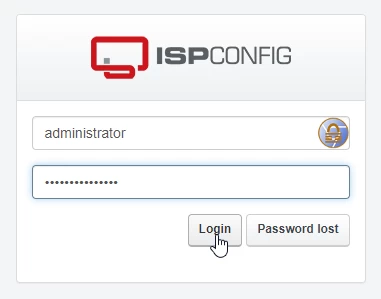
After logging in, on the next page we will click the DNS button.

To view the DNS area we are making changes to, click on the associated domain name;

Next, we will click on the green button with the text "A";

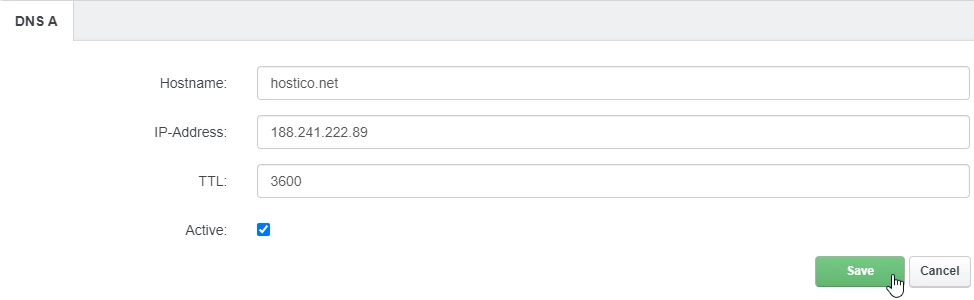
The fields on the next page will be modified as follows:
- Hostname: We will complete the DNS registration name for which we want to associate an IP;
- IP-Address: In this field we will enter the IP to which we want to direct the registration;
- TTL: It will be set to 3600;
- Active: It will remain checked for the registration to be active;
To save, we will click the Save button at the bottom of the page.
Propagation of these records may take a few hours. We recommend clearing your browser's cache and/or the DNS cache of the operating system before checking;
DNS propagation is the amount of time required for DNS changes to be updated on the internet.