Tutorials • Plesk
Setting the PHP version and configuring PHP directives in the Plesk panel
Set the PHP version and configure the directives in Plesk: change display_errors, max_input_time, and others, for optimizing your site.
Views 1468Updated 1 anPublished on 19/12/2019by Cătălin A.
Introduction
Plesk offers the ability to set the PHP version and configure PHP directives at the account level. Depending on the requirements of the installed applications or the created websites, several PHP directives can be modified, such as: display_errors, error_reporting, max_input_time, memory_limit, post_max_size, log_errors, opcache.enable, upload_max_filesize, etc.
Requirements
- an active Plesk hosting account
- login data in the panel
Steps to Follow
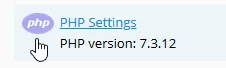
- after logging into the Plesk administration panel, select "PHP Settings" from the displayed interface
- in the next window we will have the option to change the PHP version from the box "()" and from the next box "FPM application served by" you can select the web engine that will process the PHP content. You can choose between Apache or NginX

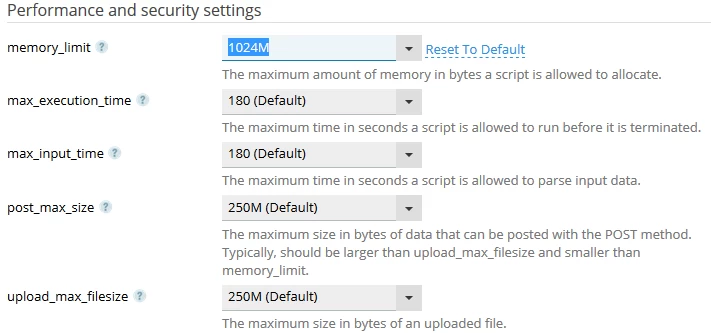
- from the "Performance and security settings" section, PHP directives can be set to the desired values. To make changes, the value on the right of the directive will be selected, where the required number will be entered.
- from this section you can start/stop OPcache or enable functions by removing them from the string found in disable_functions

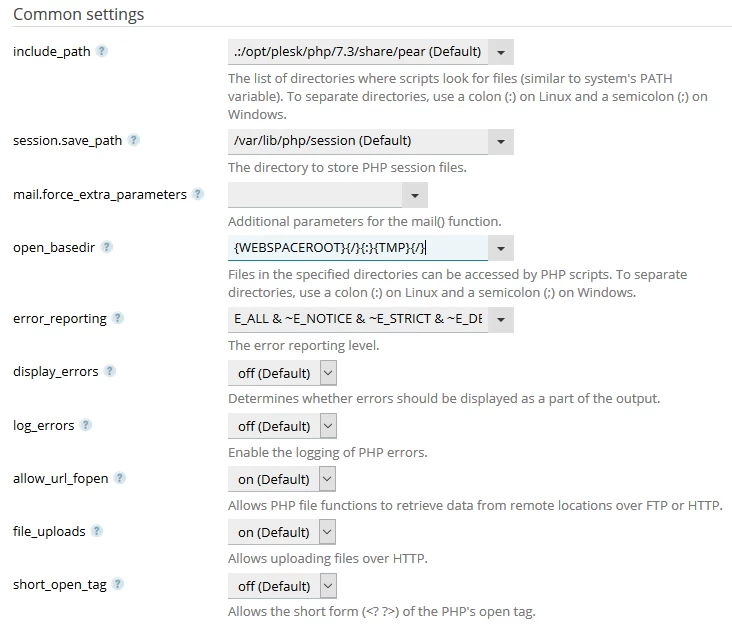
- from the "Common settings" section, common directives such as logging and displaying errors, the open_basedir path, etc. can be activated.
- after setting the desired parameters, the "OK" button located at the bottom of the page is selected

- after successfully saving the information a confirmation message will be displayed.
